Product overview
Connect before you travel.
Here's how Traveler works, from adding your trip to saying hello to someone on your flight or at your hotel.
Step 01
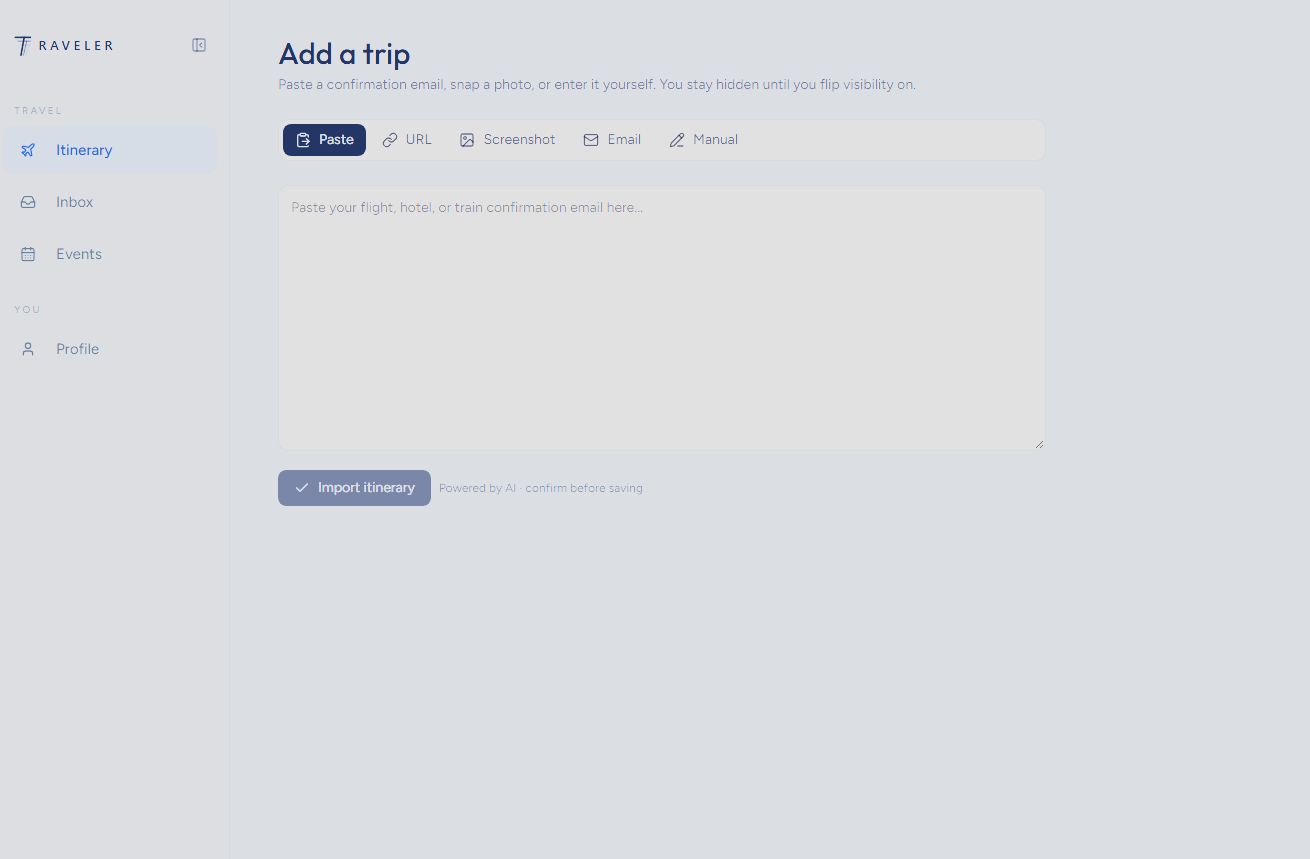
Add your trip in seconds
Paste a confirmation email, share a link, upload a screenshot, forward an email or type it in. Traveler reads it and builds your itinerary. You stay hidden until you turn visibility on.
- Flights, hotels and trains
- You confirm before anything is saved
- Private by default
Step 02
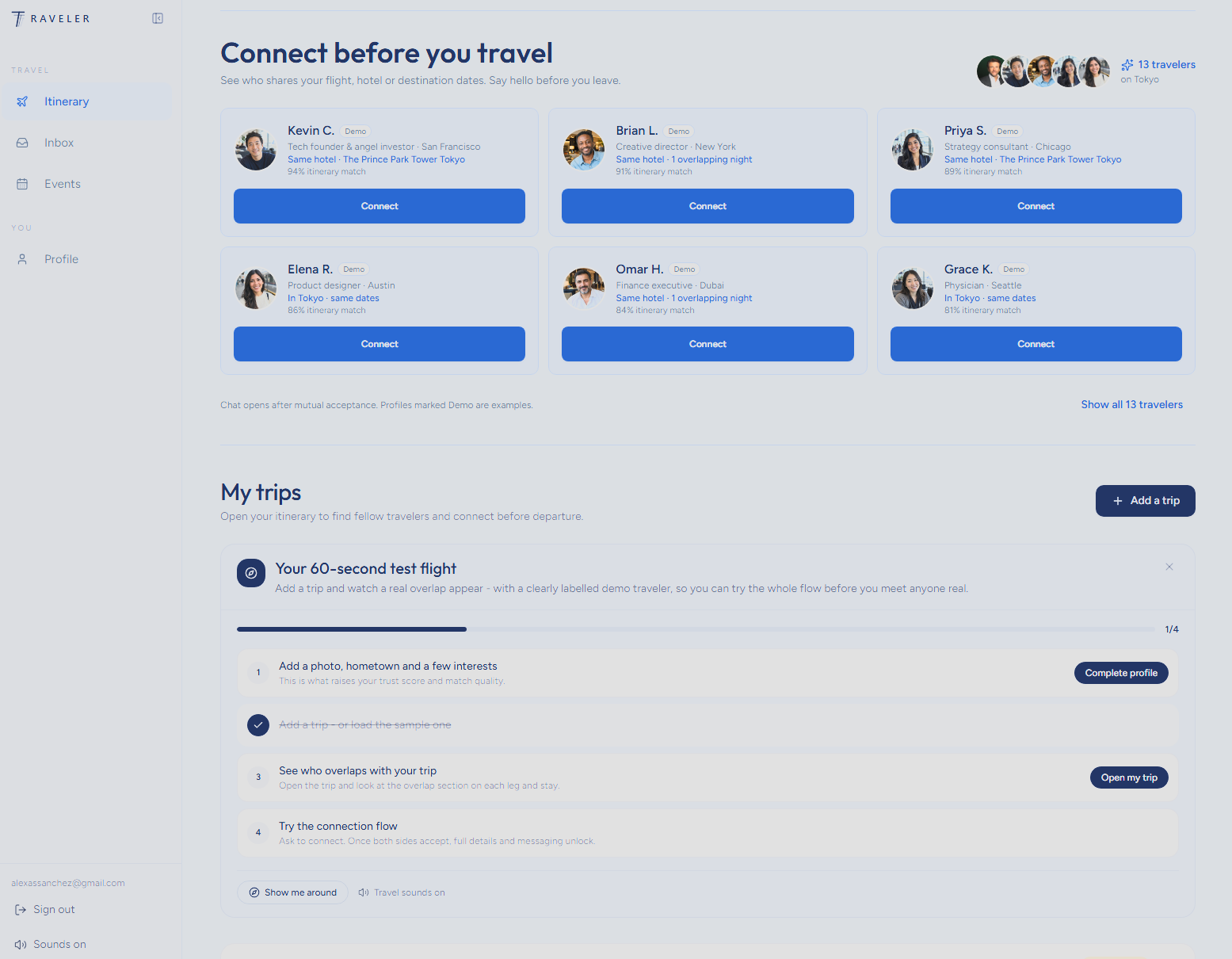
See who you could meet
Your home screen shows travelers who share your flight, your hotel nights or your destination dates, each with a clear itinerary match score.
- Same flight, same hotel, same city
- Match score for every traveler
- Fresh matches for every upcoming trip
Step 03
Understand the overlap
Open a trip to see exactly where your paths cross, stop by stop. Filter by same flight or same stay and pick the people you want to meet.
- Overlap shown for each leg and stay
- Shared interests up front
- Your journey on one simple timeline

Step 04
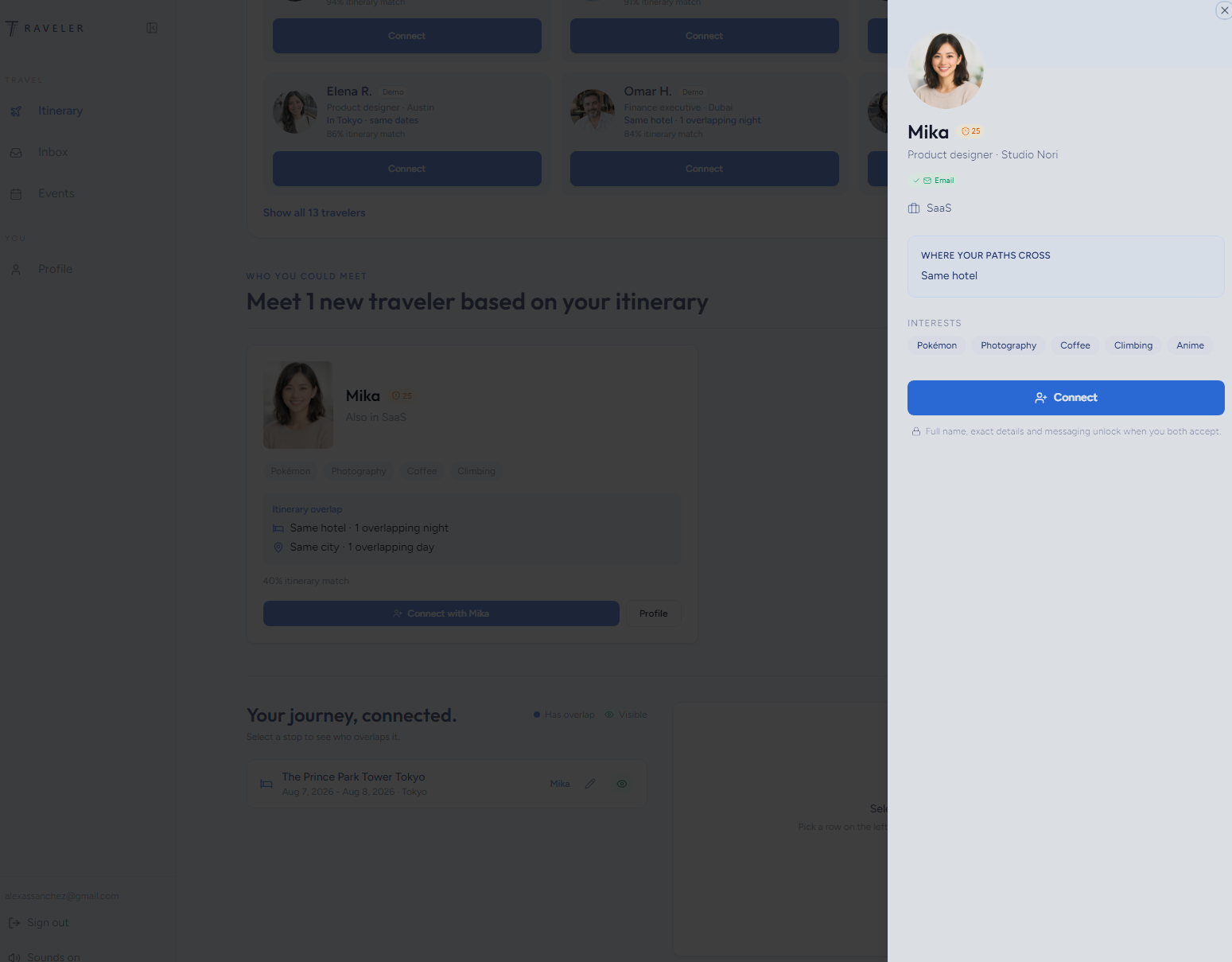
Connect only when you both say yes
Before you connect, you see a first name, a photo, interests and the type of overlap. Full names, exact details and chat unlock only after you both accept.
- Mutual acceptance before chat
- Verification badges build trust
- Disconnect any time
Your next trip could start with a hello.
Free to join. You both say yes before anyone connects.